Social media operations cloud for stores

POST STUDIO

Stop running social media on your own.

AI drafts your posts and short videos, and scheduling, approval and publishing all happen on one screen — so your stores can keep posting without adding to the workload.

Supported networks

  • X (formerly Twitter)
  • Instagram
  • Facebook
  • LINE Official Account
POST STUDIO

Sound familiar?

  • You run out of ideas — or simply don't have time to post
  • You know video matters, but nobody has time to edit it
  • Accounts and owners are scattered across stores and brands
  • Staff posts go out before anyone has checked them

POST STUDIO takes care of everything from drafting to review and publishing.

Posts and videos in one service

Social post management

From AI-written drafts to scheduling, approval and publishing — run several networks from one screen.

AI short videos

AI turns the clips you shoot into vertical videos for Stories and Reels.

What POST STUDIO does

AI copywriting

AI drafts posts that sound like your store

Add a photo and what you want to say. The AI reads the photo and proposes copy tailored to each network. It learns your store's character from store details, past posts, and web pages or documents you choose.

  • Copy sized and styled for X, Instagram and Facebook
  • Edit suggestions on the spot
  • Steer the AI with feedback
  • Learns from past posts, web pages and documents
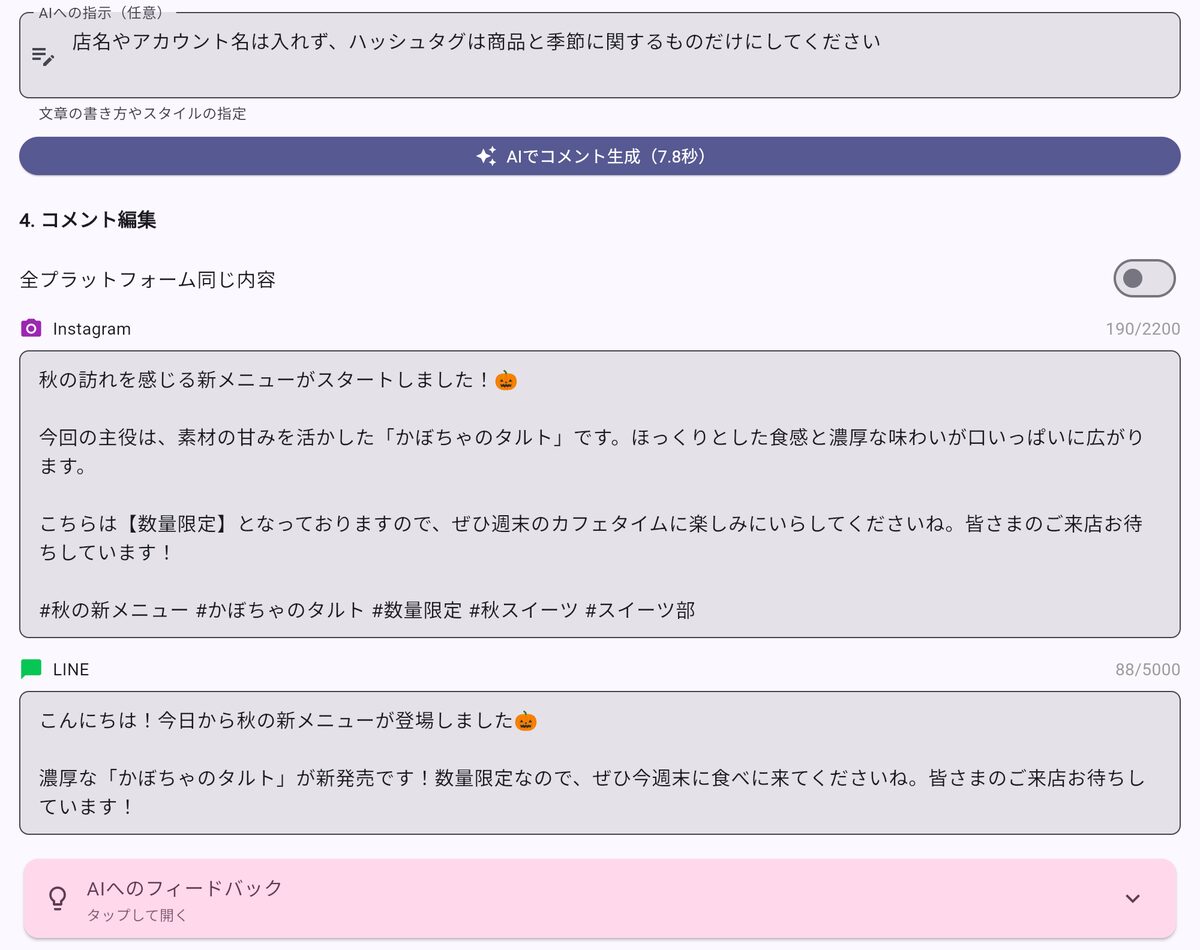
AI-drafted post text for Instagram and LINE
Sample screens with demo data
Scheduling

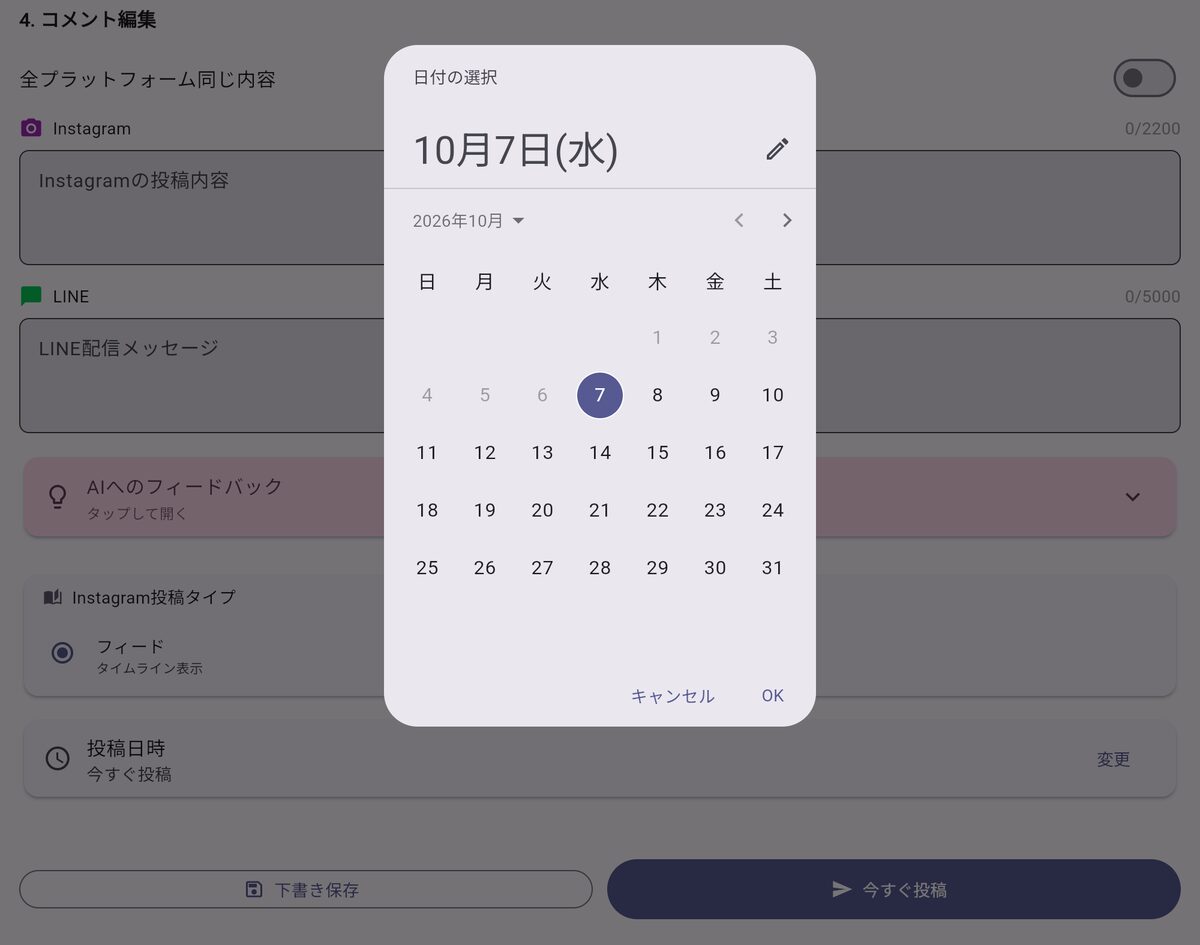
Schedule posts to several networks at once

Post to X, Instagram and Facebook in a single step. Set a time in advance and keep posting while you run the store. LINE Official Account messages are sent from the same dashboard.

  • Schedule, edit or cancel posts
  • Instagram feed and Stories supported
  • LINE Official Account broadcasts, including scheduled ones
  • Drafts and posting history
Choosing a posting date from the calendar
Sample screens with demo data
Approval workflow

Managers review before anything goes out

Posts created by staff can be reviewed and approved by a store manager or head office before publishing. Pending approvals are sent by email so nothing slips through.

  • Approve, reject or send back for changes
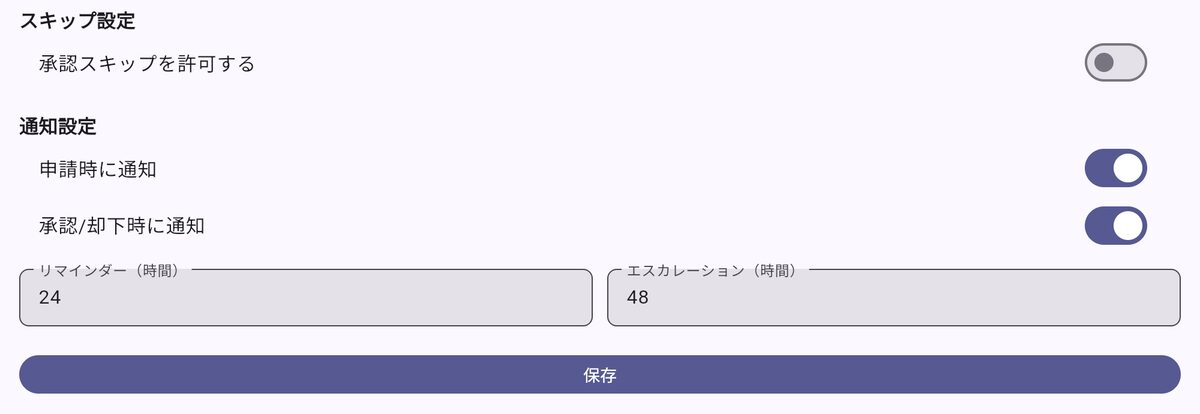
  • Email notifications and reminders
  • Turn approval on or off per store
Approval notification and reminder settings
Sample screens with demo data
AI short videos

AI builds vertical videos from your footage

Just upload clips from your phone. The AI understands the content and plans the structure, captions and headline, producing a vertical video for Stories and Reels.

  1. STEP 1Upload footage
  2. STEP 2AI proposes several edits
  3. STEP 3Adjust captions and order
  4. STEP 4Export and schedule
  • Choose from several edit patterns
  • Edit caption text, position and motion
  • Add your store logo
  • Schedule finished videos to Instagram Stories, Reels and Facebook
  • Download as a video file
Multi-store teams

Manage multiple stores and brands together

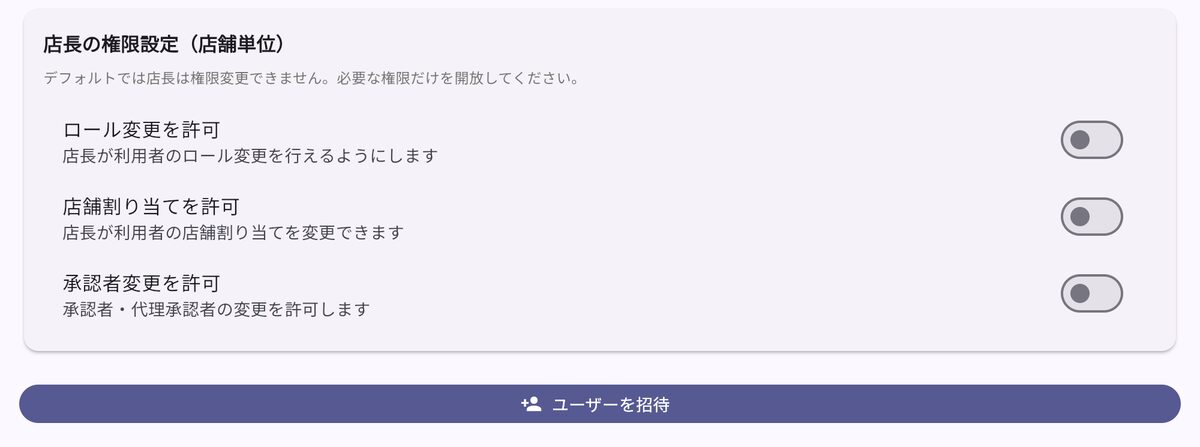
Manage social accounts and staff by company, store and brand. Each staff member only works with the stores and permissions assigned to them.

  • Connect social accounts per store and brand
  • Assign stores and permissions per staff member
  • Staff join straight from an invitation email
  • Dashboard available in 20+ languages
Manager permission and staff invitation settings
Sample screens with demo data
Easy connection

Connect accounts with a button

For X and Instagram, an administrator just signs in and grant access from a button. No X developer account is required. Your sales partner helps with the connection setup during onboarding.

  • Administrators connect and disconnect X and Instagram with a button
  • No X developer account needed
  • Facebook and LINE set up by your sales partner during onboarding

Who it's for

  • Head offices running several stores or brands
  • Stores where social media is a side job
  • Stores that want video but have nobody to edit it
  • Companies that want to check staff posts before they go out

Built to be trusted

Encrypted credentials

Credentials for your social accounts are encrypted and stored in Google Cloud's secret management service.

Role-based access

Staff only see and act on the stores and brands assigned to them.

Approval prevents mistakes

With the approval workflow, only reviewed posts are published.

Data handling

We handle your data under our privacy policy and accept data deletion requests.

Privacy policy|Terms of service

Getting started

  1. 1

    Contact us

    Reach us via the contact form or your sales partner.

  2. 2

    Consultation & demo

    We learn about your networks and stores and show you the product.

  3. 3

    Quote & contract

    We quote based on the number of stores and your needs.

  4. 4

    Setup

    Your sales partner connects your accounts, registers store details and past posts, and sets up AI learning.

  5. 5

    Training

    Your sales partner walks your team through daily use, in person or online.

  6. 6

    Go live

    After launch, your sales partner is your point of contact for questions and issues.

FAQ

Q.How much does it cost?

We provide a quote based on the number of stores and your needs. Please contact us or your sales partner.

Q.Which networks are supported?

X (formerly Twitter), Instagram, Facebook and LINE Official Account. Instagram requires a business account and Facebook requires a Facebook Page.

Q.Can we keep our existing accounts?

Yes. You connect the accounts you already use. A personal Instagram account needs to be switched to a business account (free).

Q.Will AI-written posts go out automatically?

No. AI suggestions appear as drafts that you review and edit before posting. With the approval workflow, a manager signs off first.

Q.Is it usable for staff who aren't tech-savvy?

It runs in the browser on a computer or smartphone, with nothing to install. Your sales partner provides training at onboarding.

Q.Can staff use it in other languages?

The dashboard is available in 20+ languages including Japanese, English, Chinese, Korean and Vietnamese.

Q.Can we add staff later?

Send an invitation email from the dashboard and staff can join right away. Stores and permissions are set per person.

Talk to us

We welcome demo requests, consultations and quote requests. Please mention "POST STUDIO" in your message.

Go to contact form

If a sales partner introduced you, you can also contact them directly.

Email:info@riseincs.com

Developed and operated by RISE Inc.